Product tour

How SyncReserve works.

One connected flow, from booking to reporting. SyncReserve helps racquet clubs run reservations, programs, memberships, payments, and daily operations from one branded system. Players get a simple booking experience. Staff get a clear operating view. Owners get cleaner records and better visibility.

Player experience

Players book without friction.

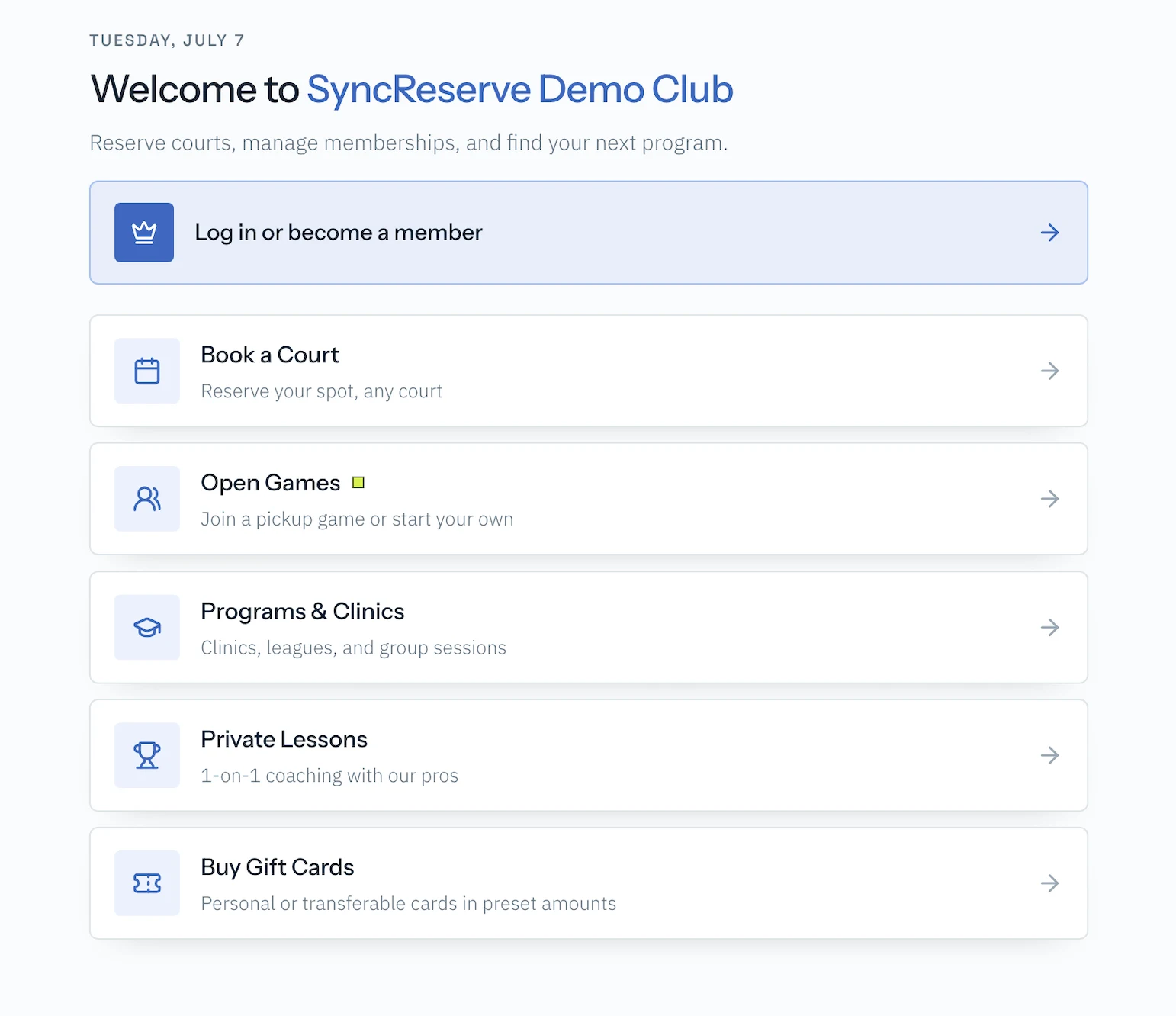
Players view availability, reserve a court, join a program, add guests or rentals, and pay online through your club's branded booking experience.

Behind the scenes, SyncReserve applies your club rules: pricing, member access, guest policies, deposits, cancellation windows, and court availability.

A simple booking experience for players, powered by your club's real operating rules.
SyncReserve booking flow on desktop — court selection and reservation detailsSyncReserve booking on iPhone — court selection, add-ons, and reserve & pay
Daily operations

Staff manage the day from one calendar.

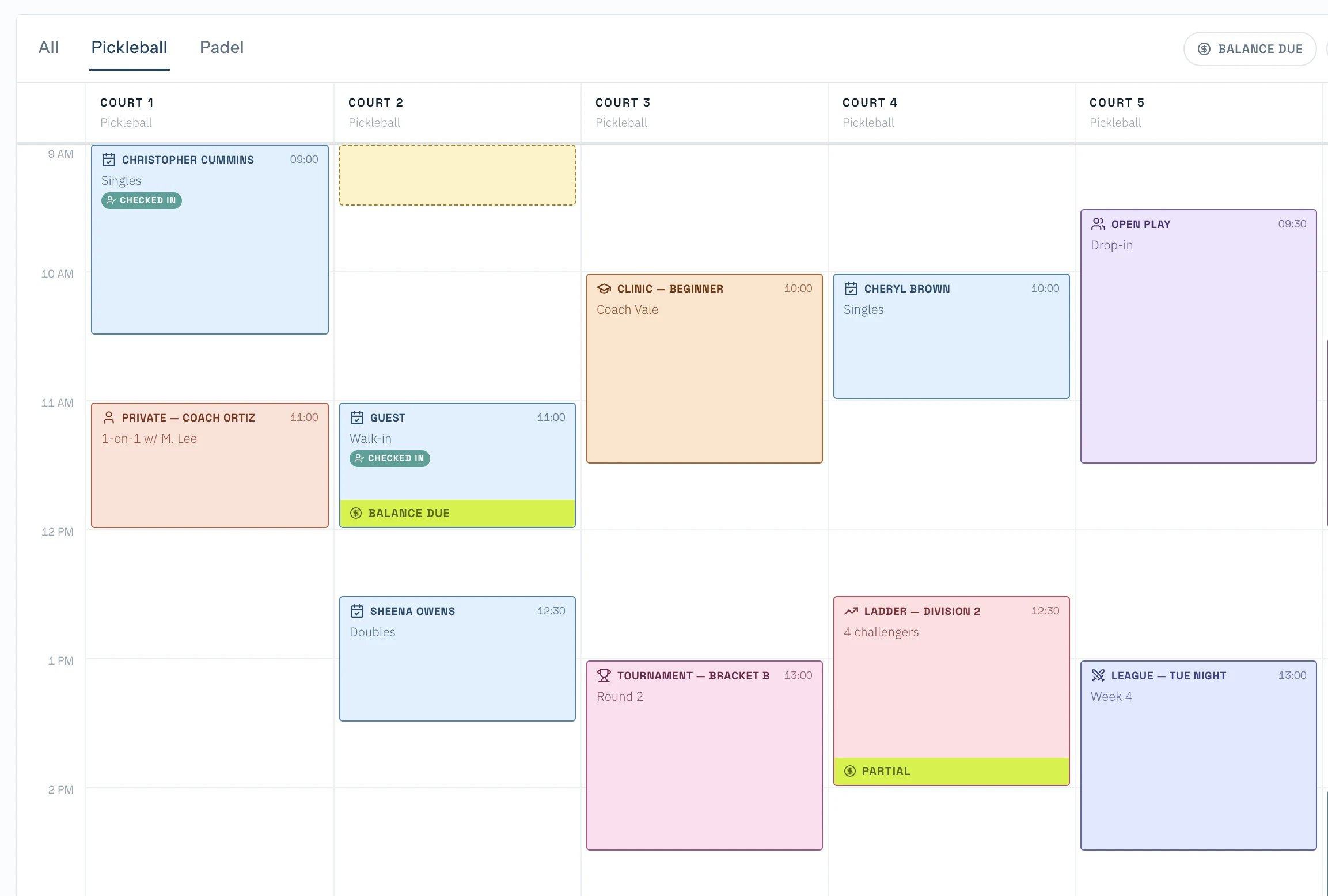
Your team sees reservations, programs, lessons, court blocks, and check-ins in one live admin calendar. They can adjust bookings, open reservation details, manage payments, track rentals, and understand what is happening across the club without jumping between tools.

One daily command center for courts, staff, bookings, and player activity.
SyncReserve admin dashboard on MacBook — bookings, calendar, and operations in one branded platform
Club workflows

Programs, memberships, and customer records stay connected.

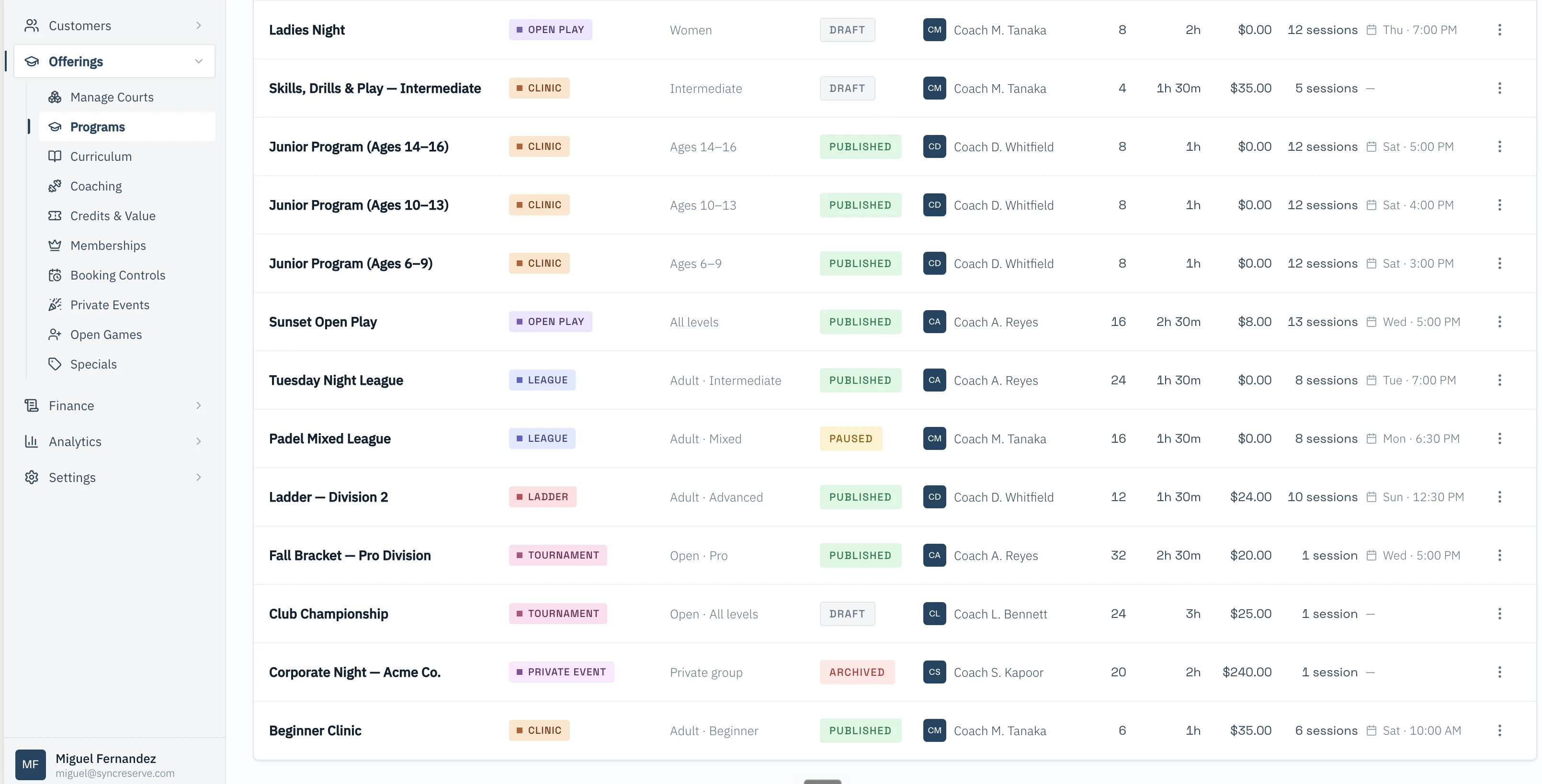
SyncReserve manages clinics, lessons, leagues, events, memberships, access plans, and customer profiles. Everything stays connected, so your team can see who someone is, what they booked, what they paid for, and what they are eligible to access.

Programs, memberships, and customer records work together instead of living in separate spreadsheets.
SyncReserve program roster on iPhone — clinics, leagues, and rosters in one branded appSyncReserve member profile on iPhone — reservations, programs, and account credit in one view
Revenue records

Payments create clean operational records.

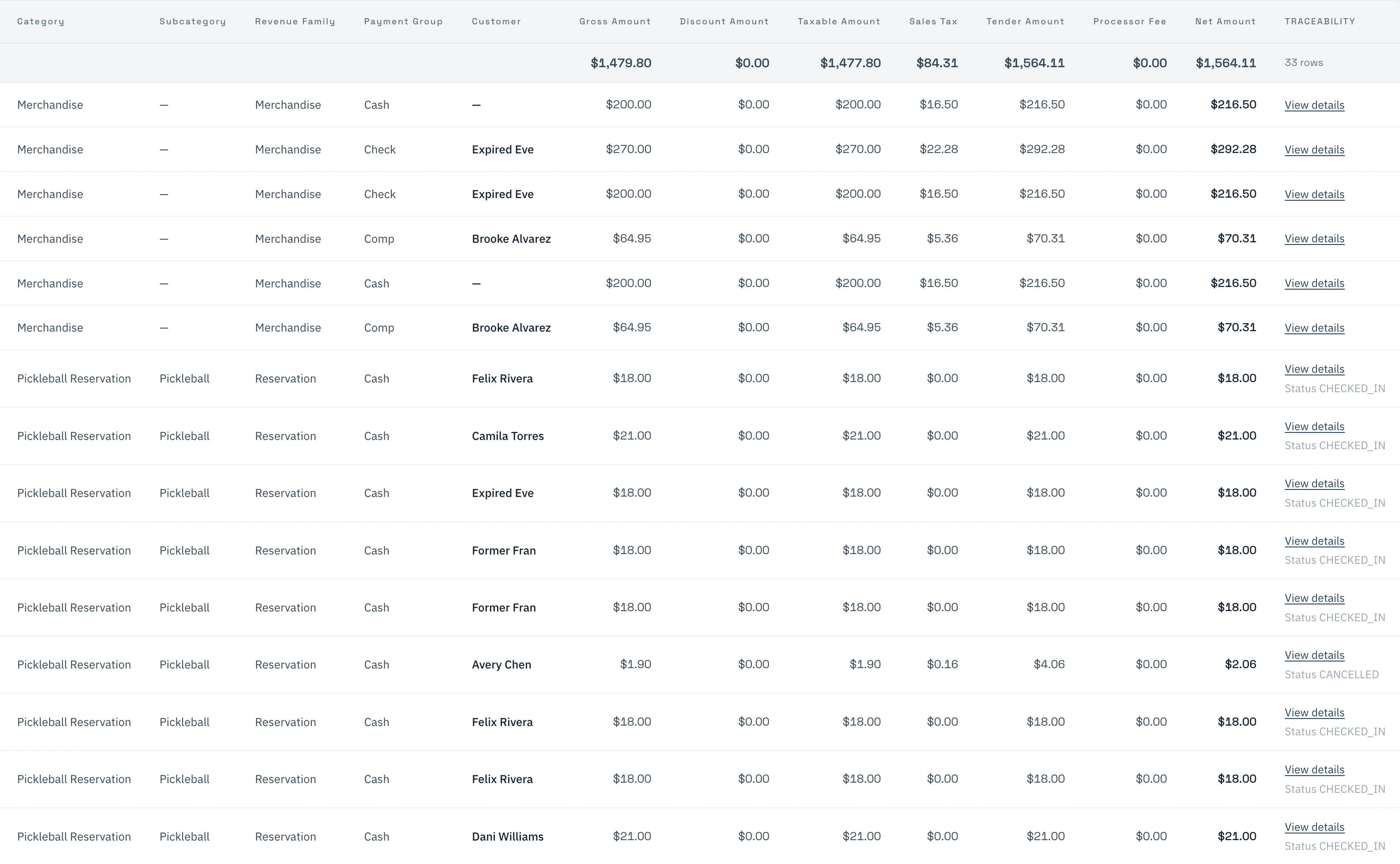
Every payment ties back to the activity that created it: a reservation, program, membership, rental, credit, refund, or account balance. That gives staff more confidence during the day and gives owners cleaner reporting when reviewing revenue, utilization, and accounting.

Payments stay connected to the real activity happening inside the club.
SyncReserve accounting ledger on MacBook — reservations, programs, memberships, rentals, and credits auto-reconciled
AI-assisted operations

Build any automation your club needs.

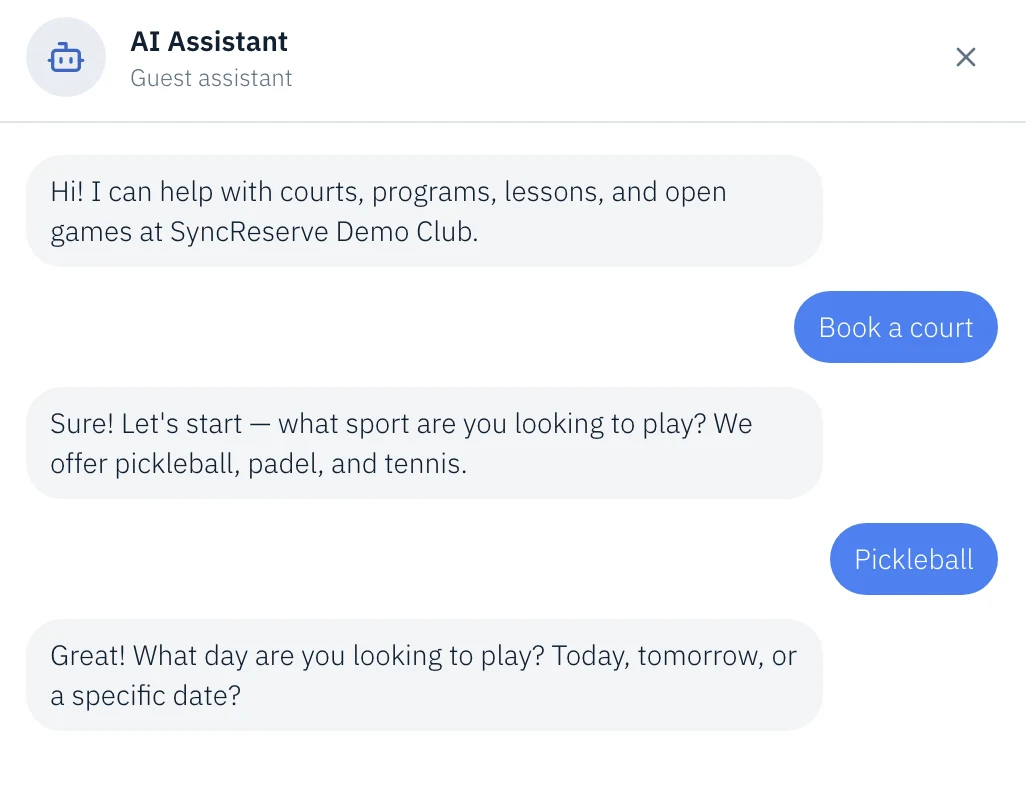
Pick a trigger — a booking, a lesson ending, a no-show, an inbound text — then chain the steps that follow. SyncReserve ships ready-made flows for reminders, follow-ups, upsells, and an AI front desk, and you can compose your own from the same building blocks.

TriggersReservation createdLesson endsPayment receivedNo-show flaggedInbound SMSMembership renews+ custom
Reduce repetitive work, protect revenue, free your team for the player experience.
SyncReserve admin reservation view — courts, schedules, and player details
Booking reminders
T-24h SMS + email confirms court, time, guests.
TRIGGER
Lesson follow-ups
AI recap + rebook slot logged to the player.
AI
$
Upsells & rentals
Offer paddles, partners, add-ons at checkout.
ACTION
AI
AI front desk
Answers calls and texts with your club rules.
AI
Guided migration

Switch without starting over.

SyncReserve personally assists with data migration, setup, and guided onboarding so your team is not left managing the switch alone. We review your current tools, prepare key records, verify workflows, and support launch.

01.

Review your current setup

We map your booking rules, memberships, programs, payments, staff workflows, and reporting needs.

Courts, programs & memberships mapped
Pricing, rules & policies captured
Staff roles & workflows reviewed
02.

Migrate and verify your data

We help prepare, import, and sample key records with your team before launch.

Members, plans & history imported
Reservations, programs & payments mapped
Sample records verified together
03.

Onboard your staff and go live

We walk your team through the platform, validate the setup, and stay close through the first live days.

Staff training & dry runs
Launch checklist signed off
Hands-on support through go-live
Typical timeline
ReviewWeek 1Migrate & verifyWeek 1–2LaunchWeek 2–3
~ 2–3 weeks · typical migration
Walkthrough

See how SyncReserve would run your club.

Every club has different courts, programs, rules, staff workflows, and customer expectations. A walkthrough helps us understand how your operation works today and show how SyncReserve could support it from booking to reporting.

What you'll see
  • Your club configured in SyncReserve
  • A live booking → ledger flow
  • Migration plan tailored to your stack
  • Pricing for your operation
~ 30 min · no prep required